

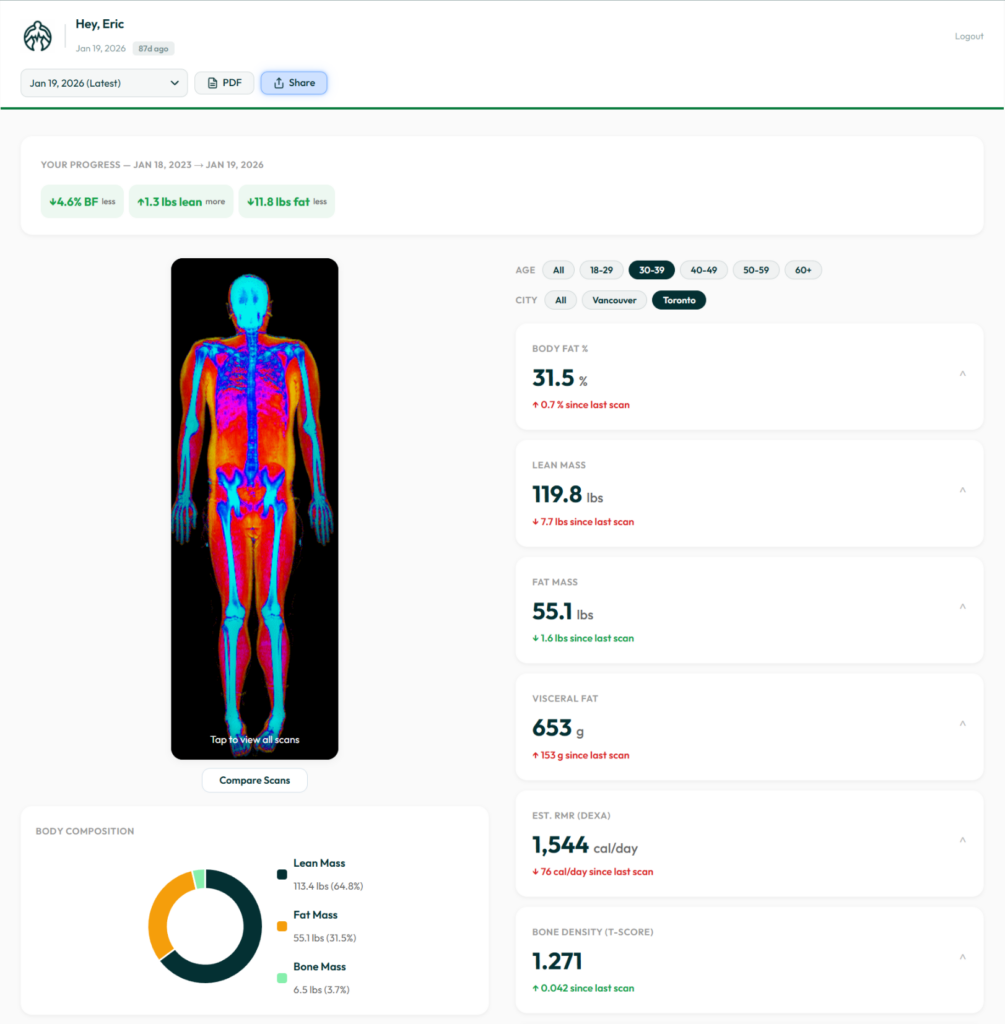
We built the BodyStats Dashboard to give you one place to see every DEXA scan, track how your body is changing over time, compare any two scans side by side, and share your results with anyone.
If you’ve scanned with us before, your dashboard is already live — just log in at bodystats.ca/dashboard.
Everything From Every Scan, in One View
Your dashboard pulls together every metric from every DEXA scan you’ve done with us — body fat percentage, lean mass, fat mass, visceral fat, bone mass, estimated RMR, and more. Each metric shows the change since your last scan so you can see exactly what’s moving and in which direction.
You can also filter by age group and city to see how you compare against others in your demographic. We currently track data from over 3,600 clients across Vancouver and Toronto.
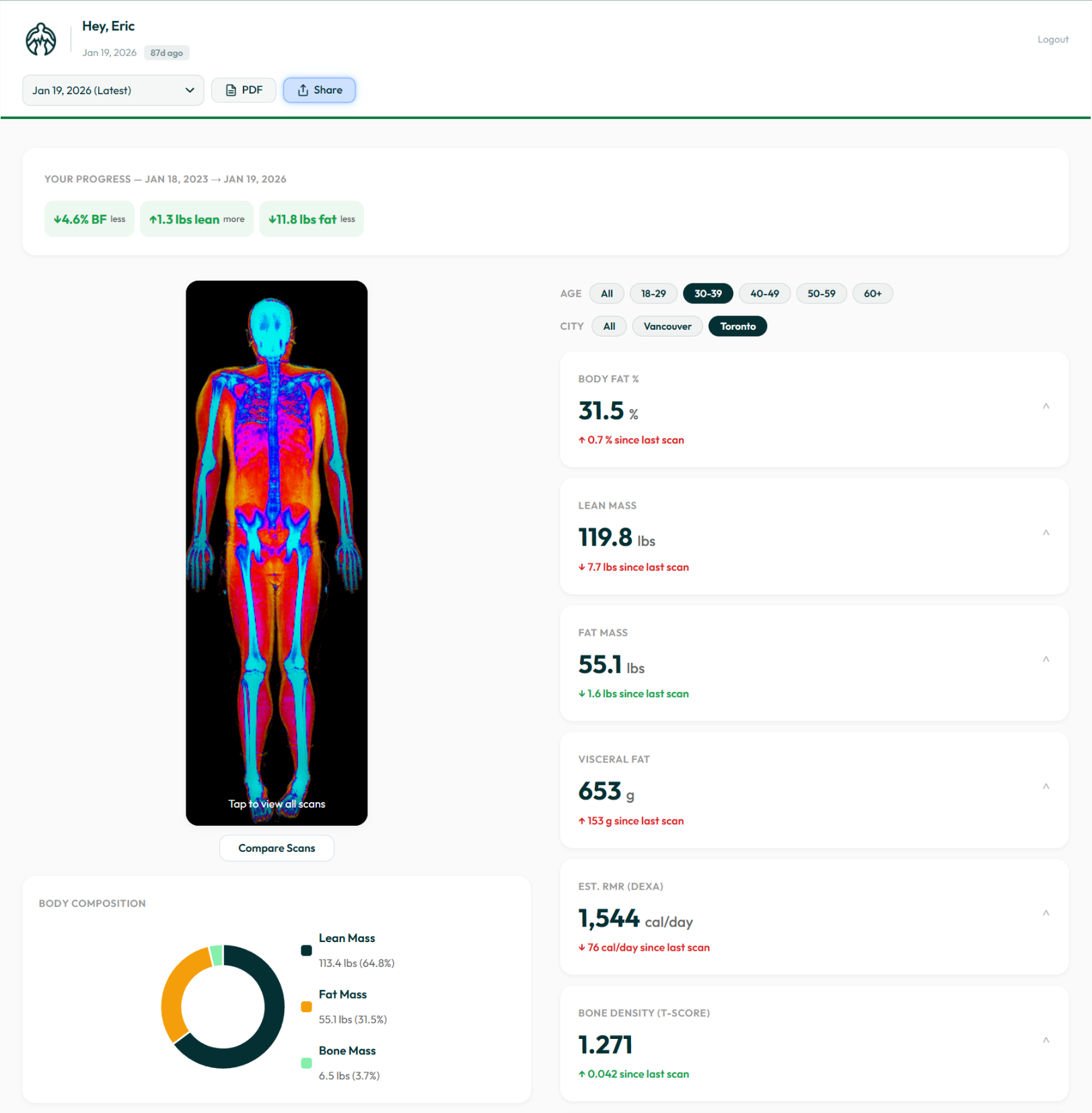
Your dashboard: progress summary, DEXA scan image, all metrics, and demographic comparisons.
Before & After — Compare Any Two Scans
Pick any two scans from your history and the dashboard generates an instant comparison — your DEXA scan images side by side, with a table showing exactly how much body fat, lean mass, fat mass, and visceral fat changed between them.
This comparison also generates a shareable card you can save, send to your trainer, or post to social media.
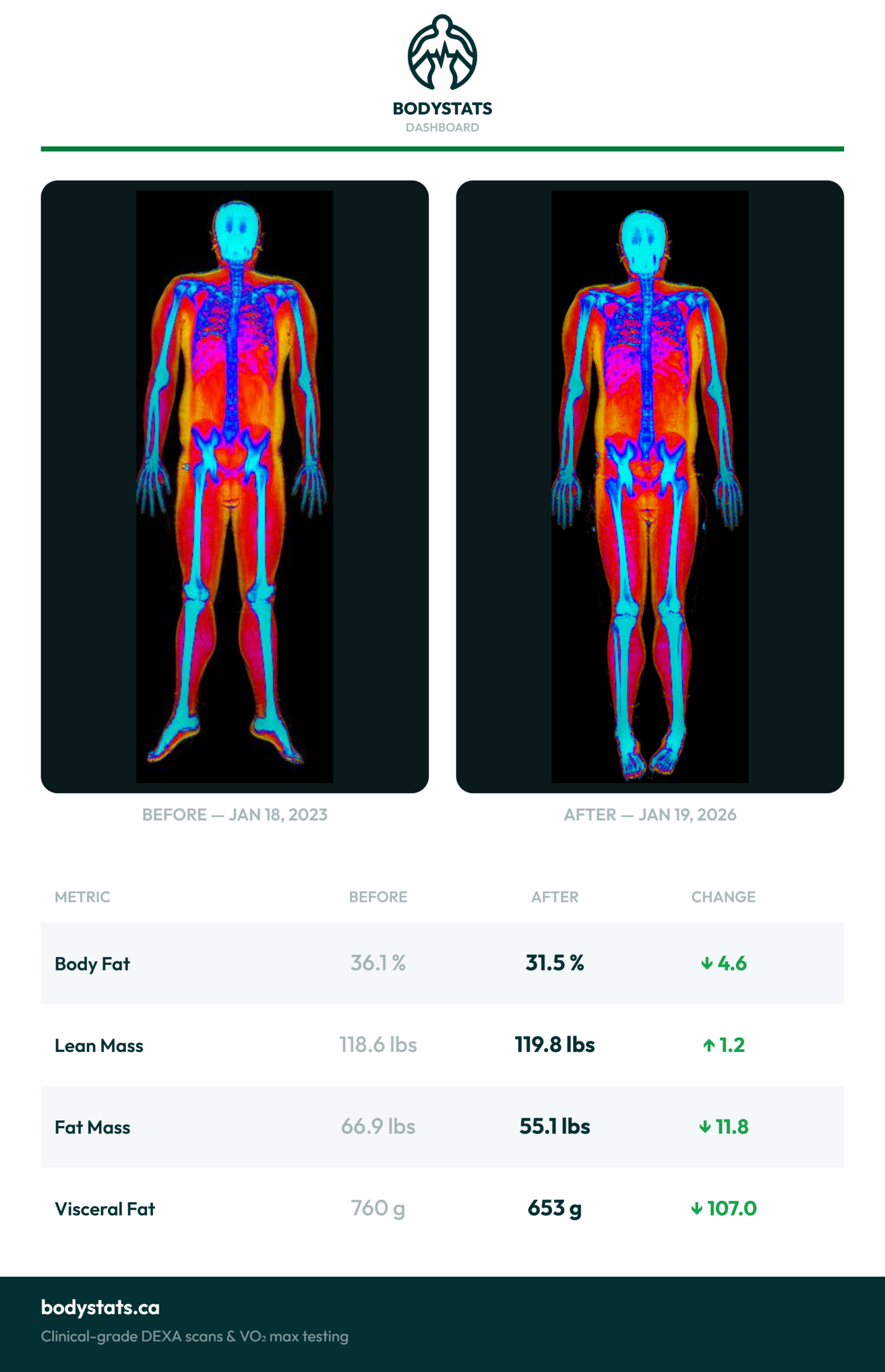
Before & After comparison card — pick any two scans to see your transformation.
Trends, Rankings, and Where You Stand
Each metric on your dashboard expands to show a detailed chart of your progress across every scan you’ve done. For body fat percentage, the chart also includes the BodyStats Range — a visual scale from Athletic to High based on real data from clients your age in your city.
Below the chart, you’ll see your leaderboard rank — your position out of everyone who has scanned with us. It’s a quick way to see where you stand and set a target for your next scan.
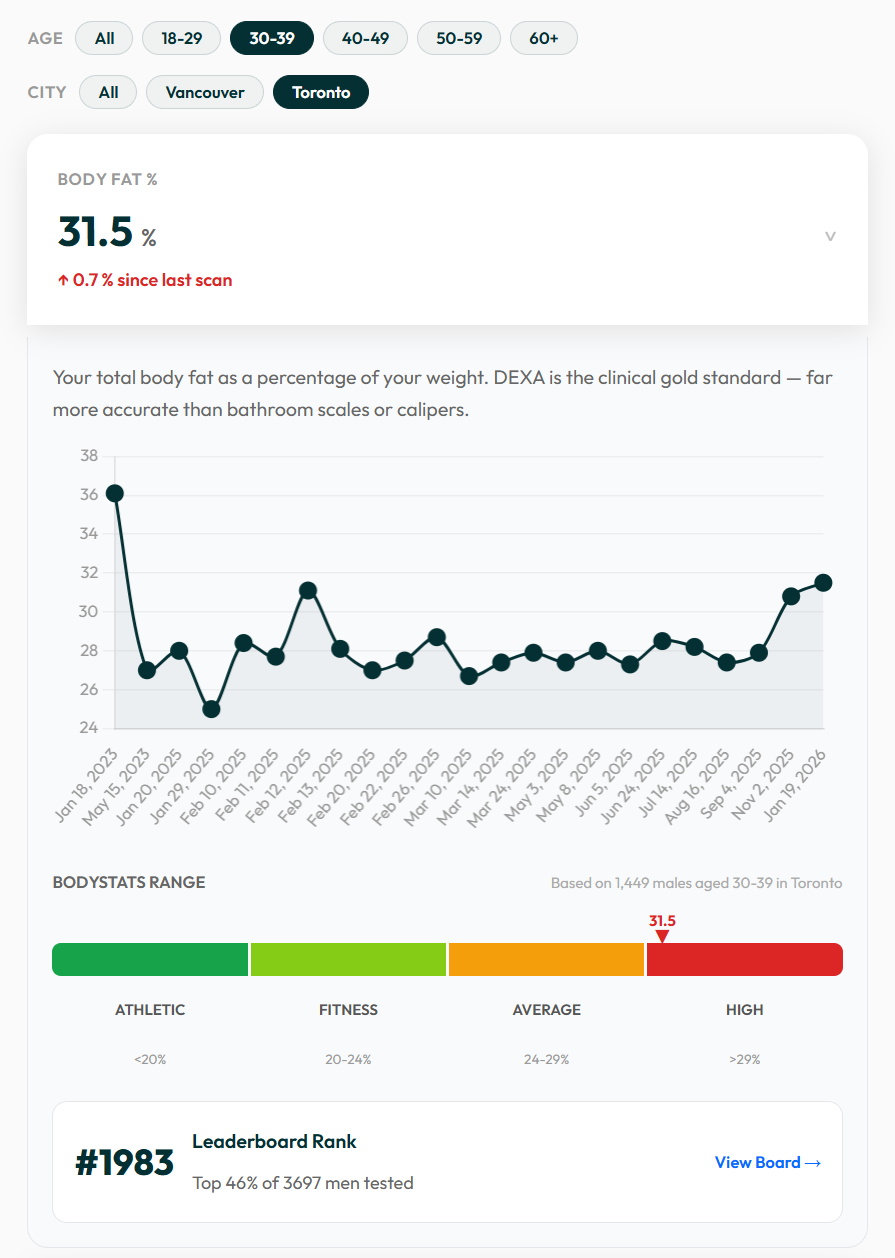
Body fat trend over time, BodyStats Range, and your leaderboard rank.
Share Your Results
Hit the Share button on your dashboard to generate a results card — either your current scan or a before-and-after comparison. From there, you can save it as an image, share it directly to Instagram, or copy a link.
The card is designed to look good on social media and includes your real DEXA data alongside your scan images. Your progress deserves to be seen.
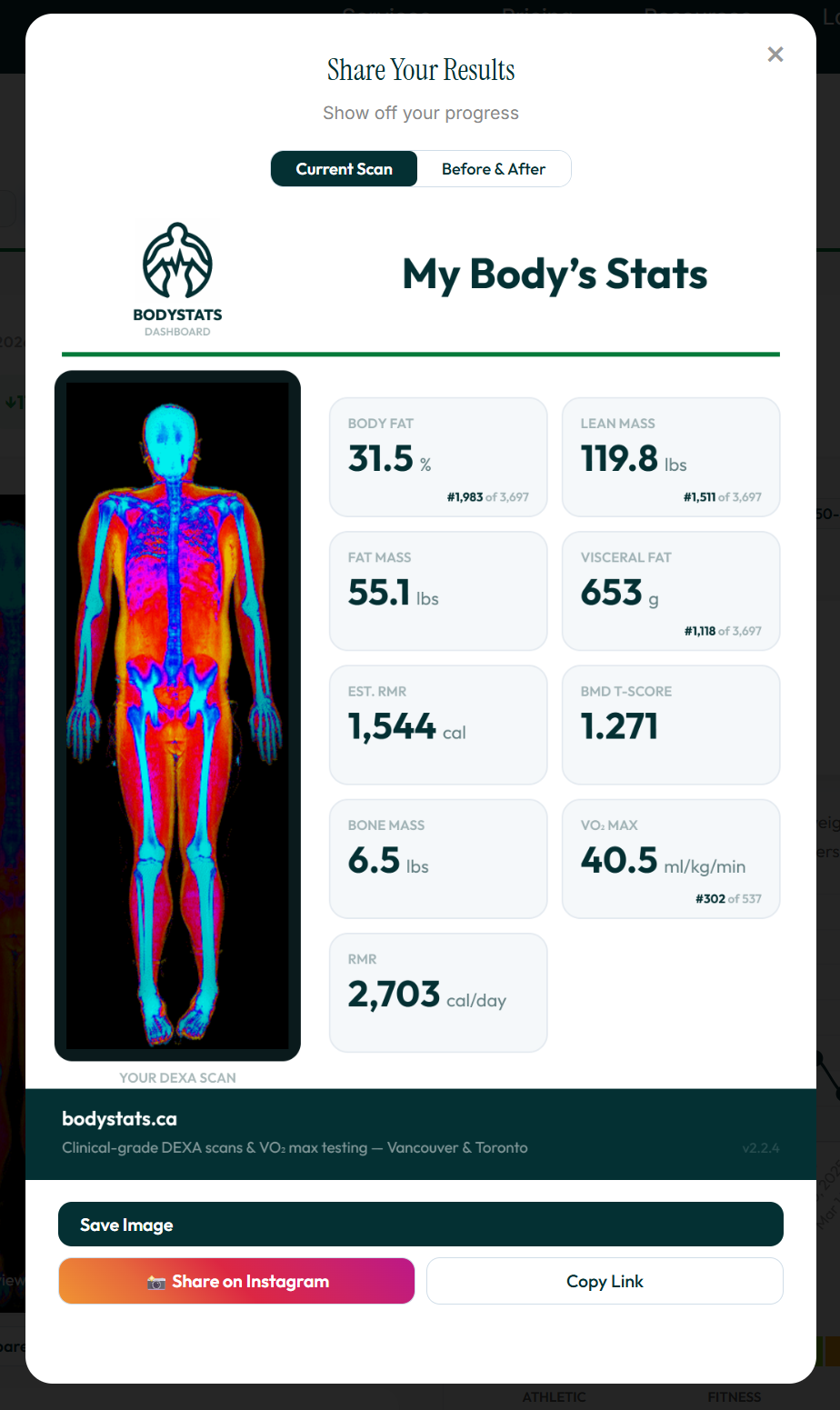
Share your current scan or before & after — save, post to Instagram, or copy a link.
How to Access Your Dashboard
Go to bodystats.ca/dashboard and log in with the email you used when you booked your scan. If you’ve scanned with us before, all your data is already there.