
Every result, in one dashboard
Your DEXA, VO2 Max, RMR, lactate and strength results all land in one place, free with every test. Explore your scan, compare any two scans, read your full reports and download any report whenever you like.
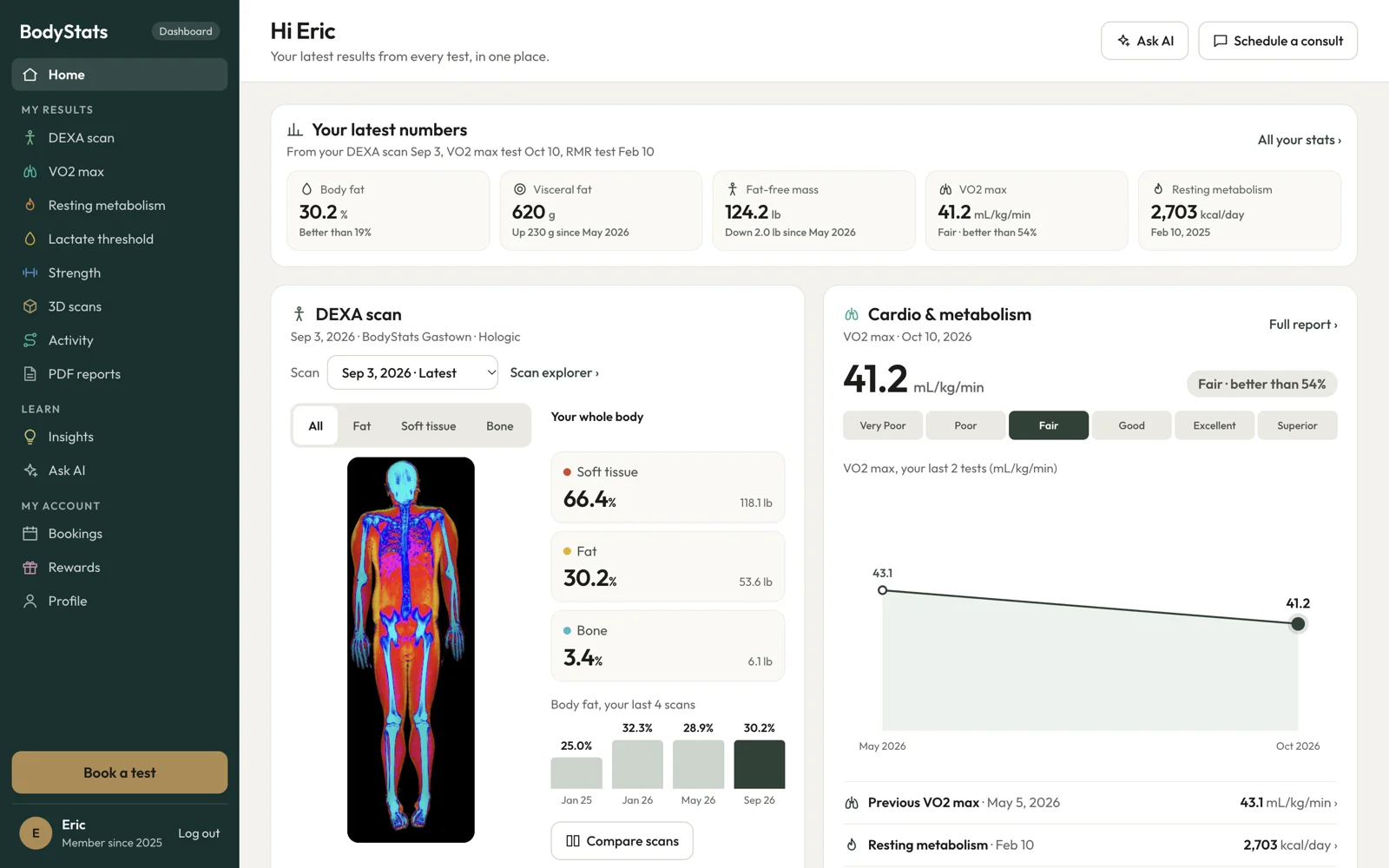
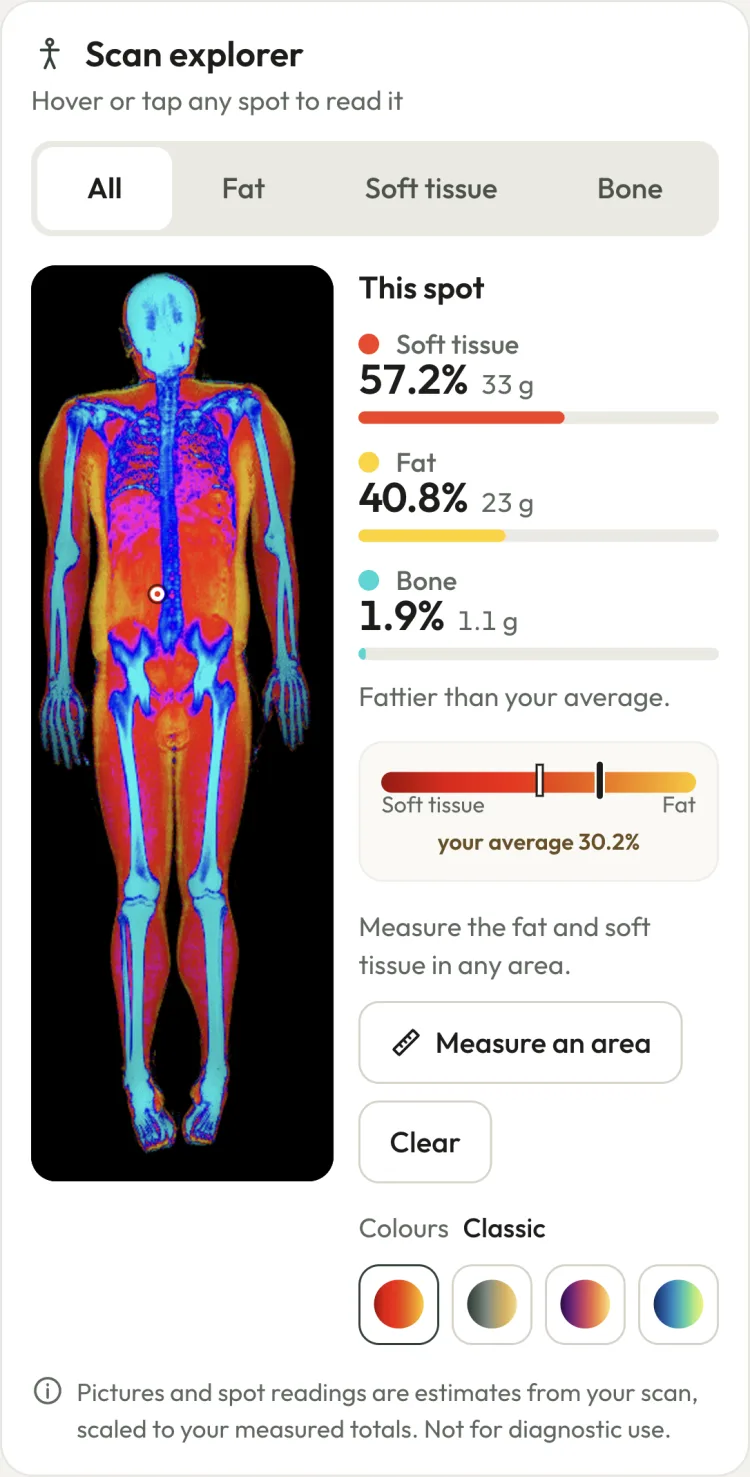
Try the scan explorer
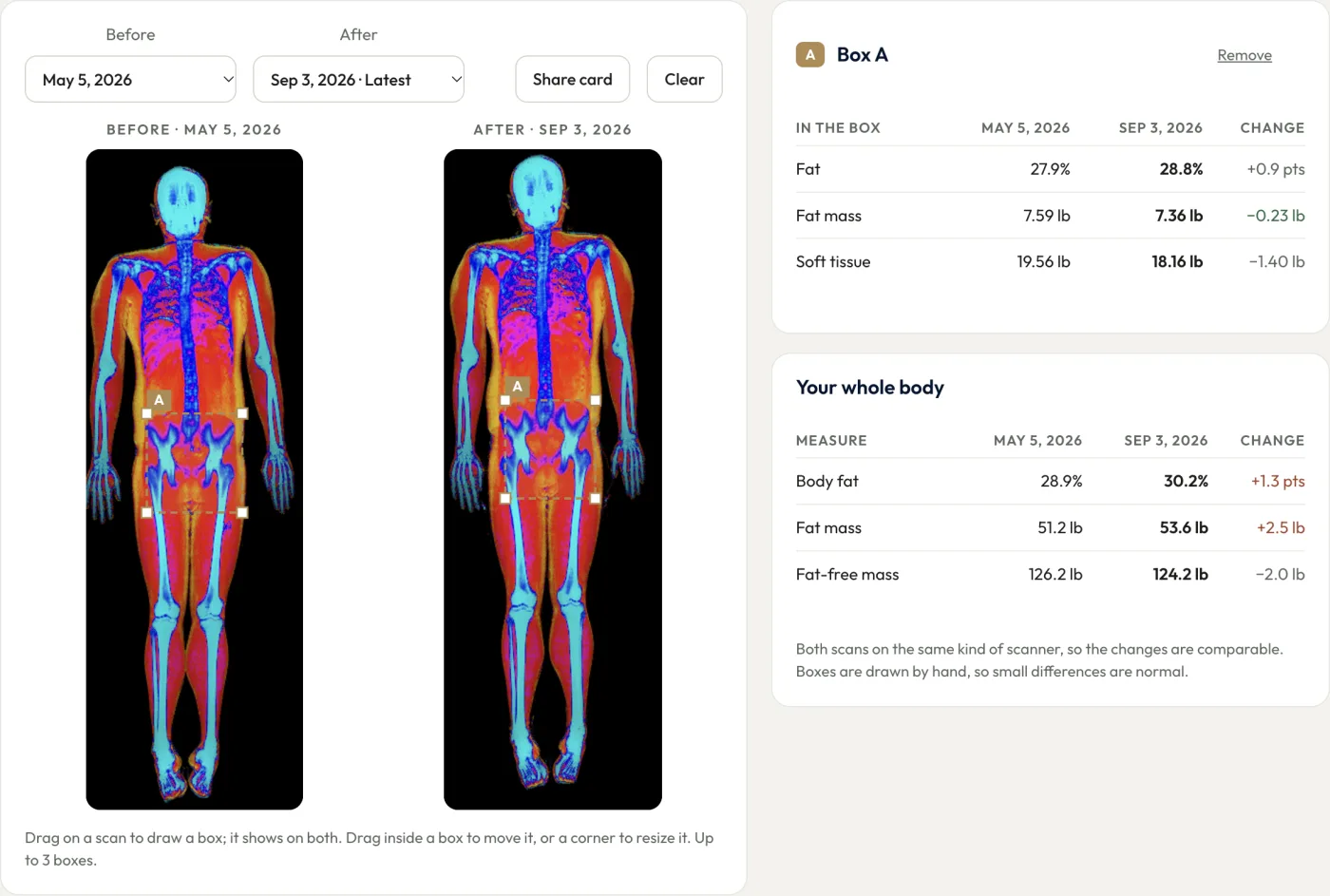
This is a real BodyStats DEXA scan from one of our team. Hover over it, or tap it on a phone, to see the soft tissue, fat and bone in any spot. Switch between the All, Fat, Soft tissue and Bone pictures, or tap Measure an area and draw a box around the belly or one thigh.
Loading the sample scan…
Every DEXA scan you do with us opens like this on the Results tab of your dashboard. Open your dashboard →
DEXA results
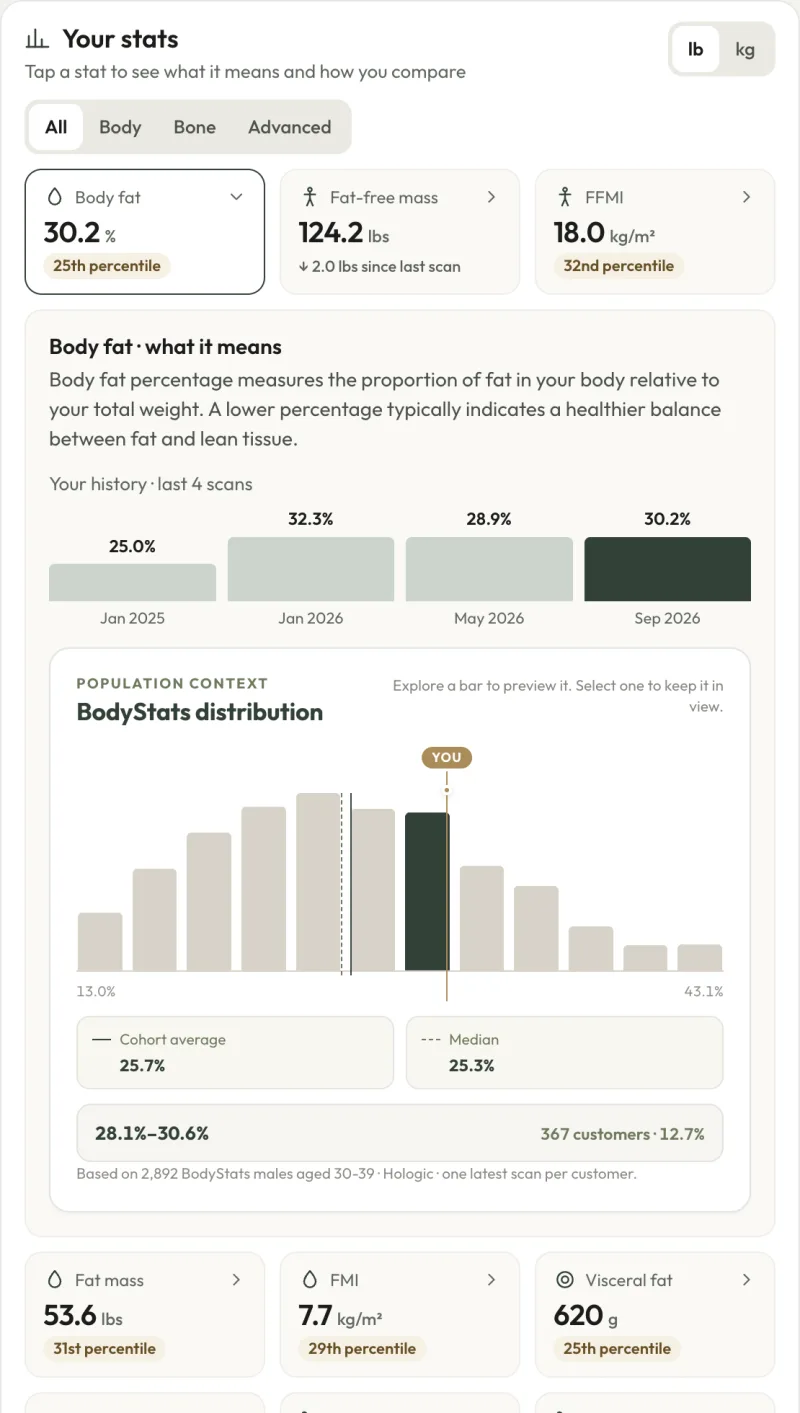
Every number from your scan, explained, with your rank among BodyStats clients of your age and sex.
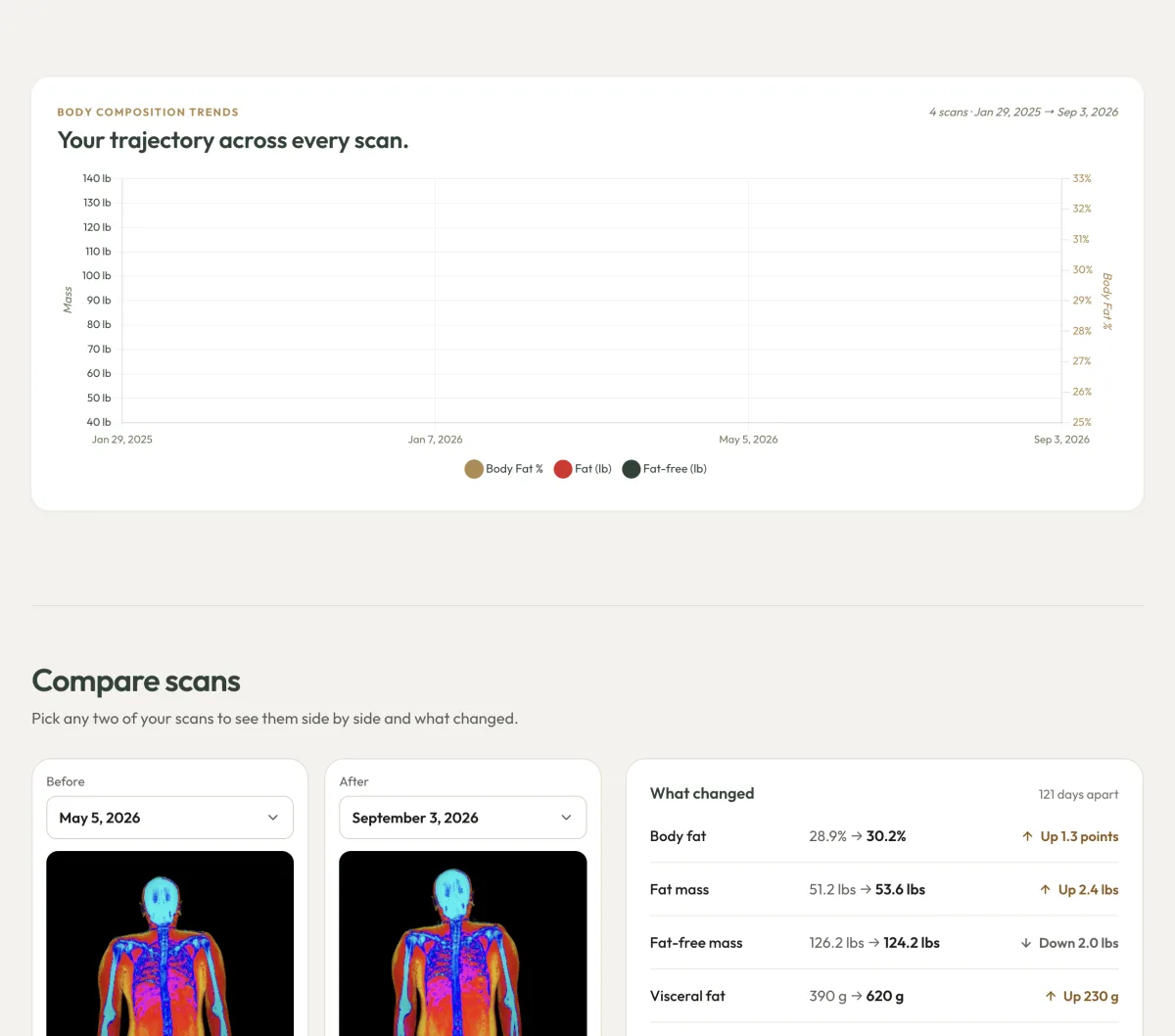
- Body fat, fat-free mass, fat mass and visceral fat, each with your percentile
- Fat-free mass index and fat mass index
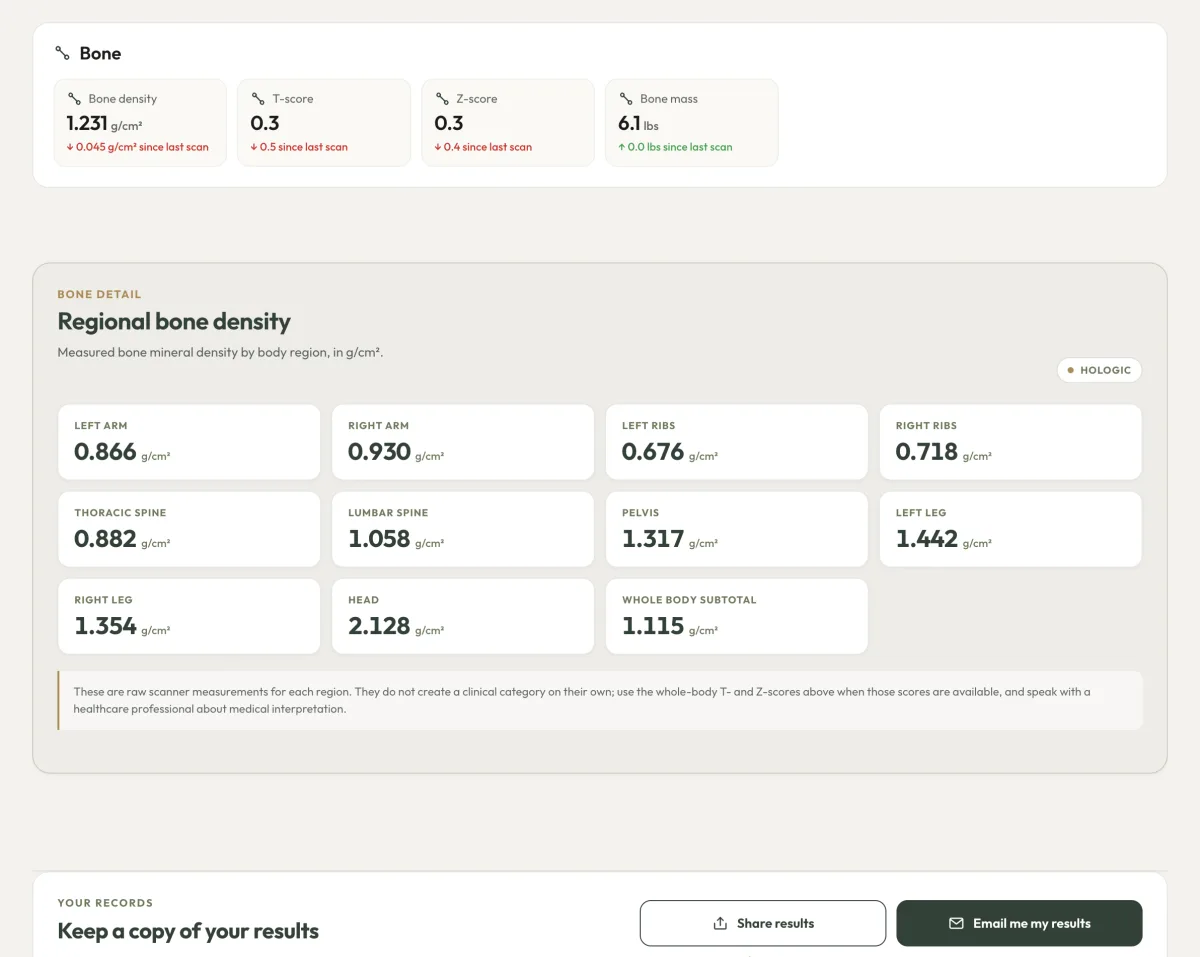
- Bone density, with your T-score and Z-score
- Every region: arms, legs, trunk, android and gynoid, plus a symmetry score
- Switch between lb and kg
Open any number to see what it means, your history and how you compare.
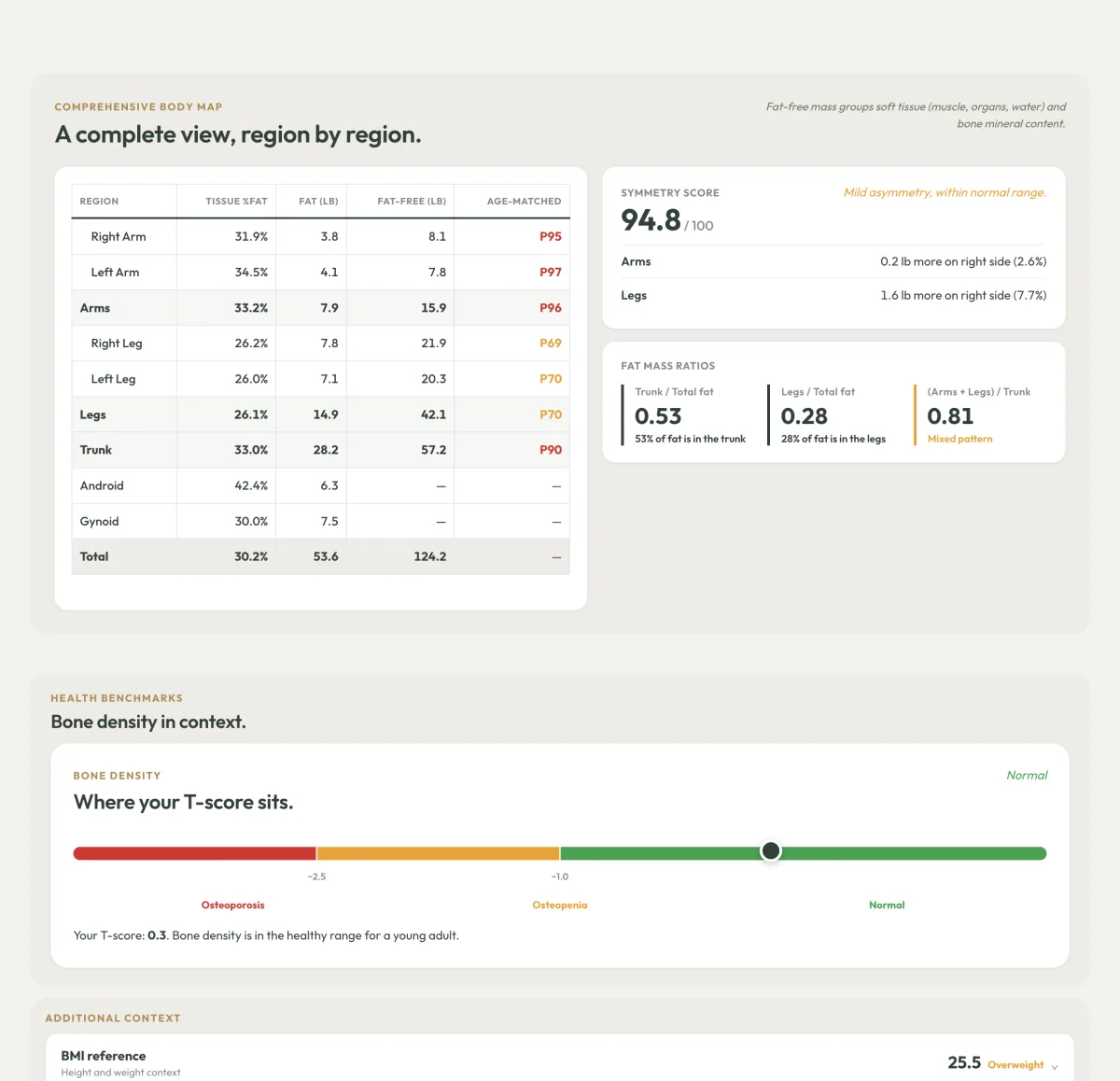

Your scan report, as a PDF
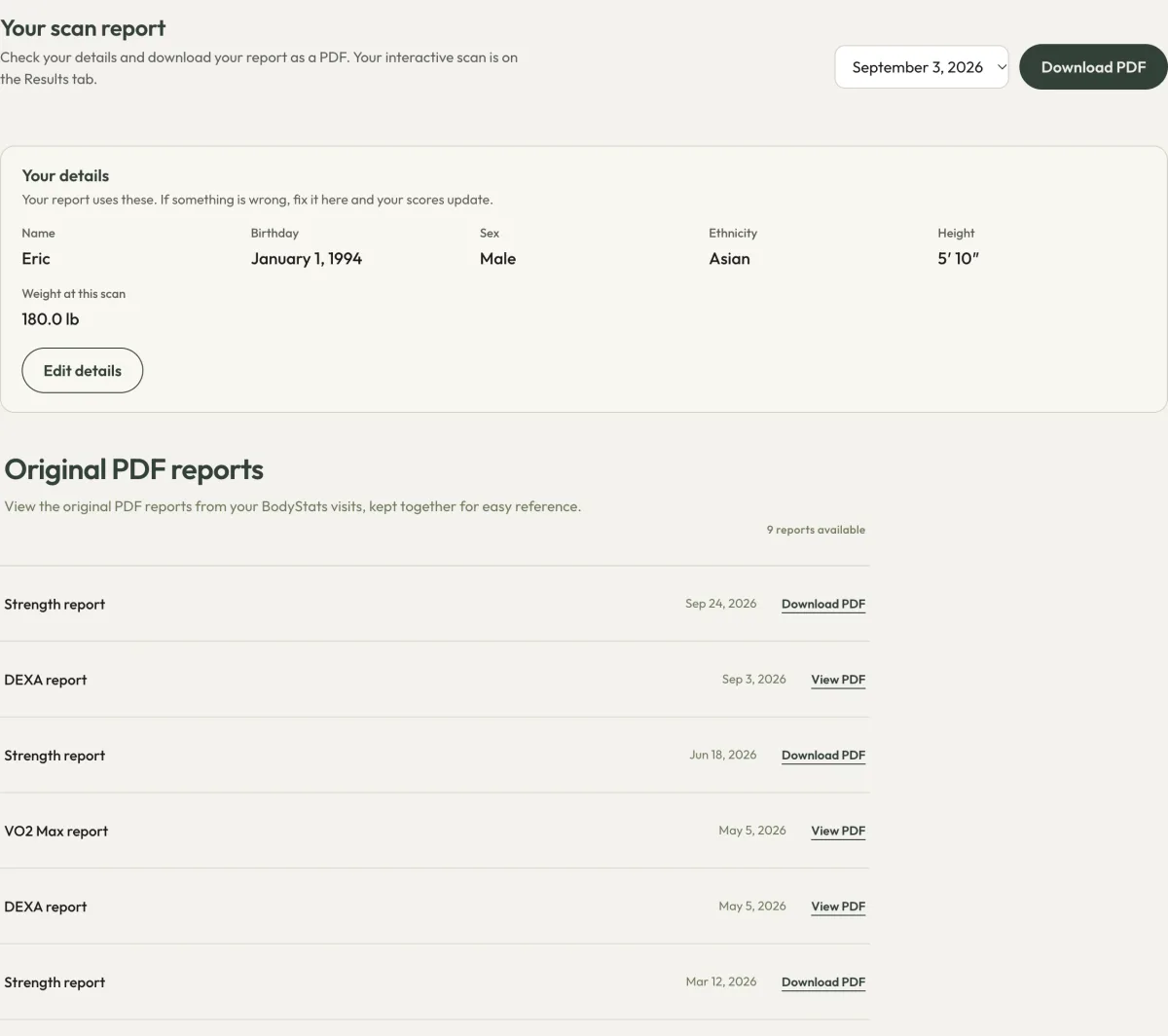
Download a two-page report of any scan, any time. If your height, weight or birthday was wrong on the day, fix it in your dashboard and every score updates.
VO2 Max results
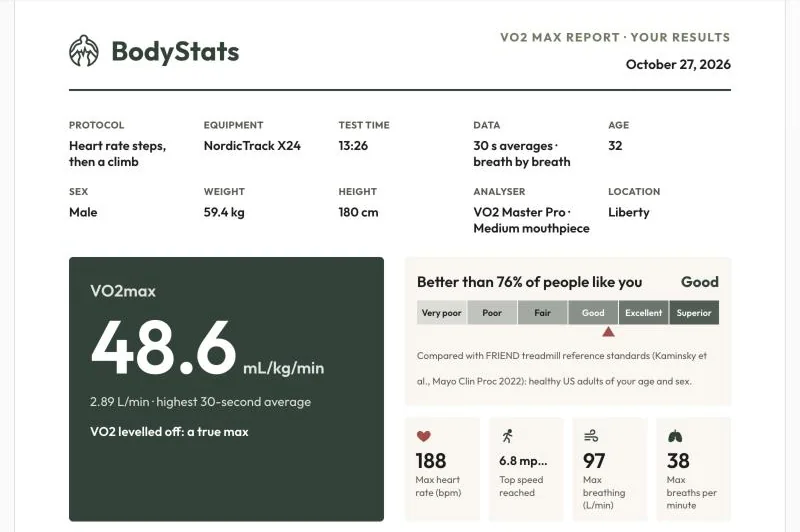
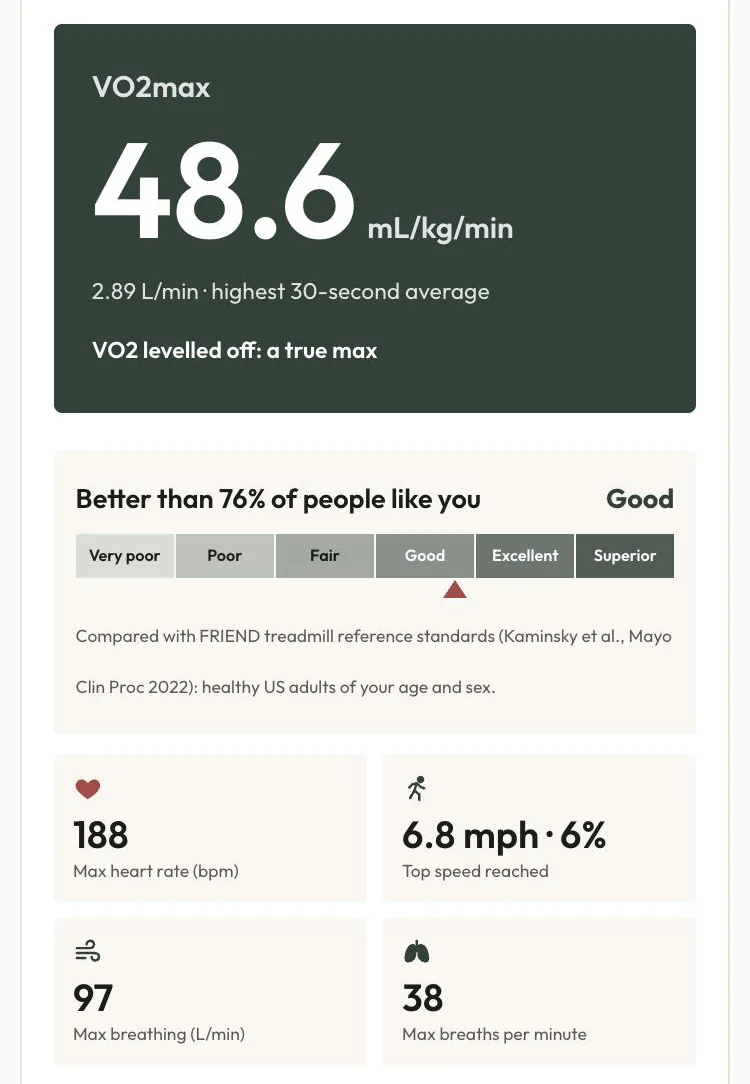
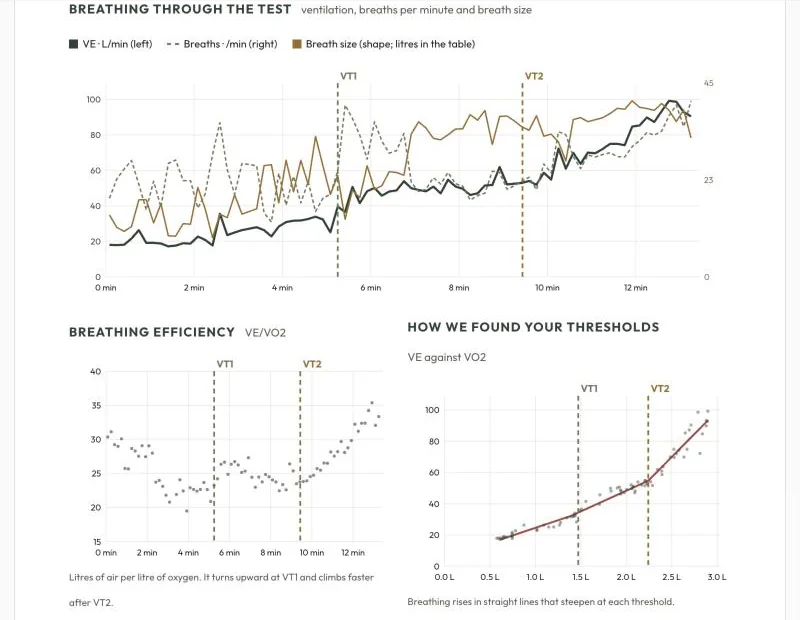
Your full VO2 Max report, right in your dashboard, with a one-tap PDF.
- Your VO2 Max rated against the FRIEND standards for your age and sex
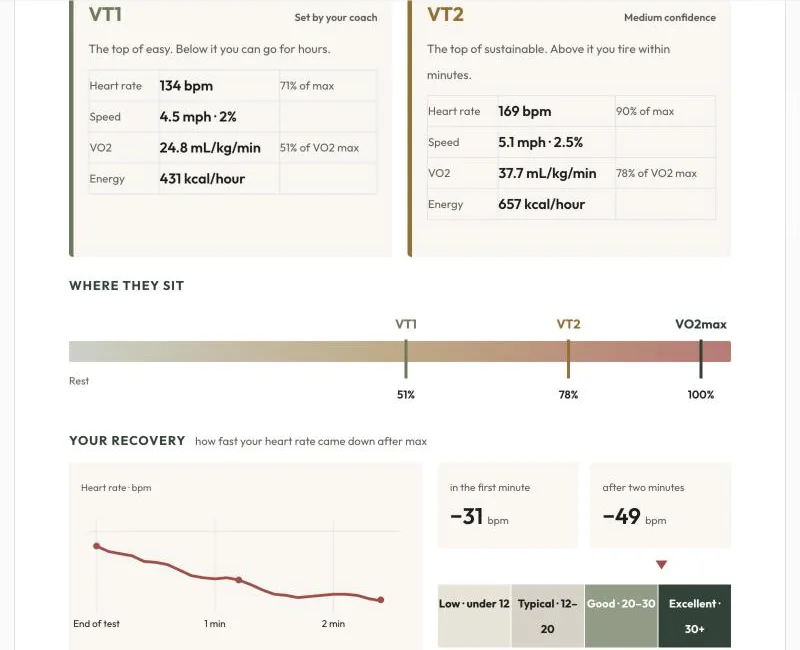
- VT1 and VT2 thresholds in heart rate, speed and calories
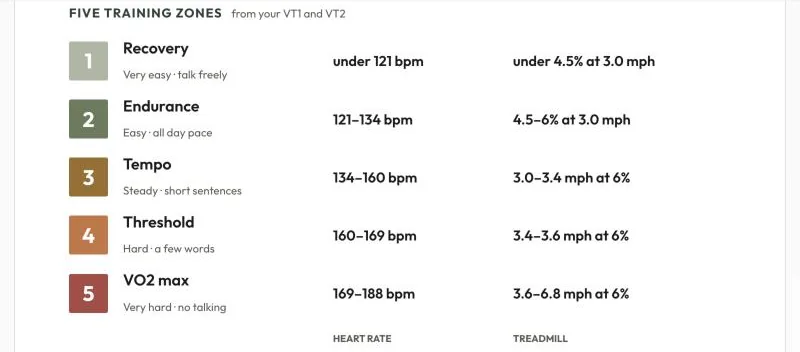
- 5 training zones from your own thresholds
- Heart rate recovery: how fast your heart rate comes down
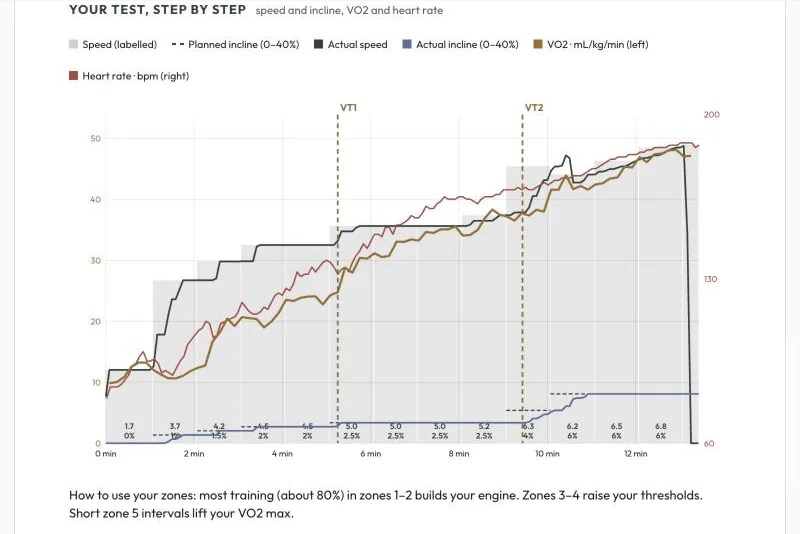
- Every minute of your test charted: speed, incline, VO2, heart rate and breathing
RMR results
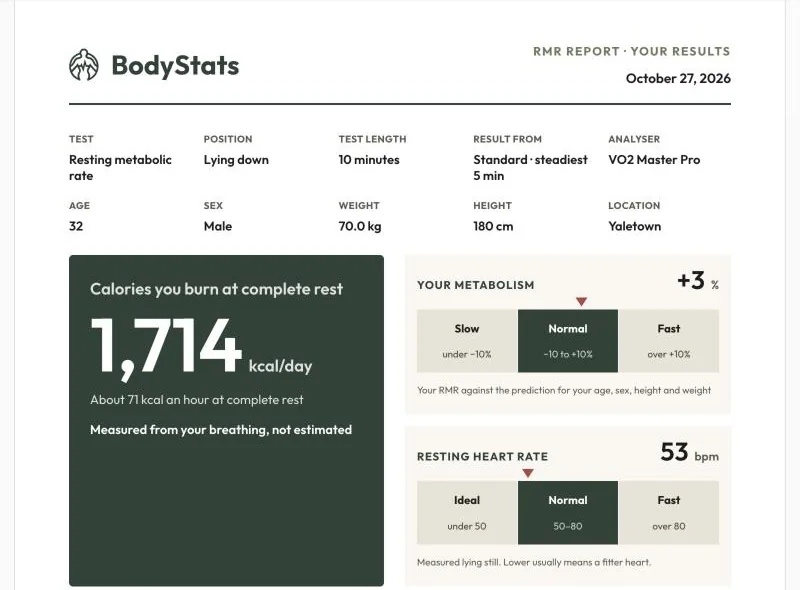
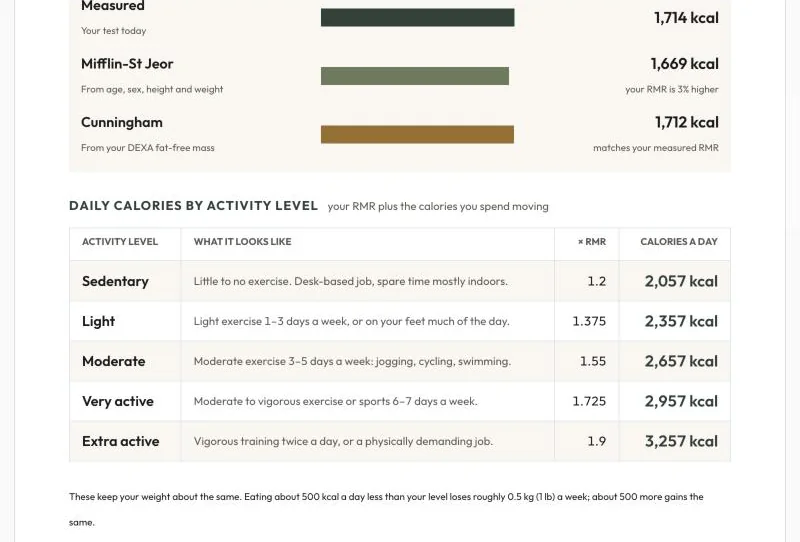
The calories you burn at rest, measured from your breath, and what that means for every activity level.
- Resting calories per day, and whether your metabolism is slow, normal or fast for you
- Your result next to two standard prediction formulas
- Daily calories for 5 activity levels
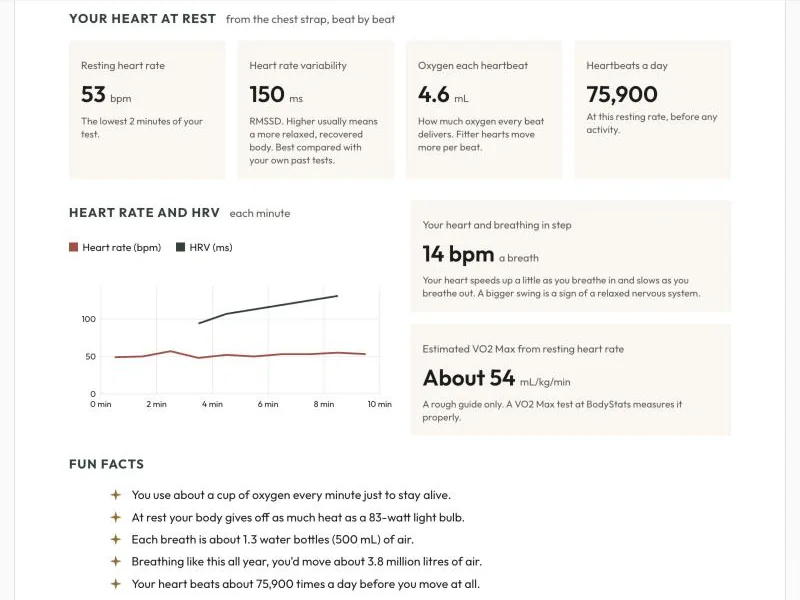
- Resting heart rate and heart rate variability
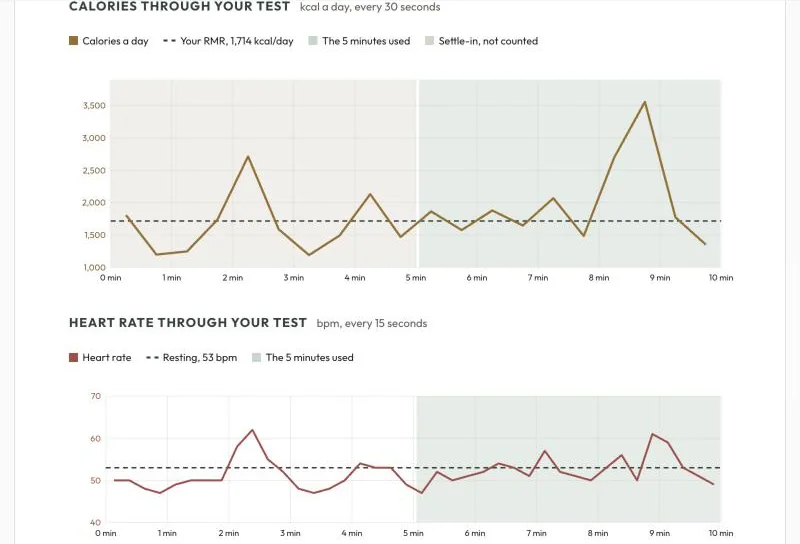
- Calories and heart rate through your whole test
Lactate results Beta
From our lactate threshold test:
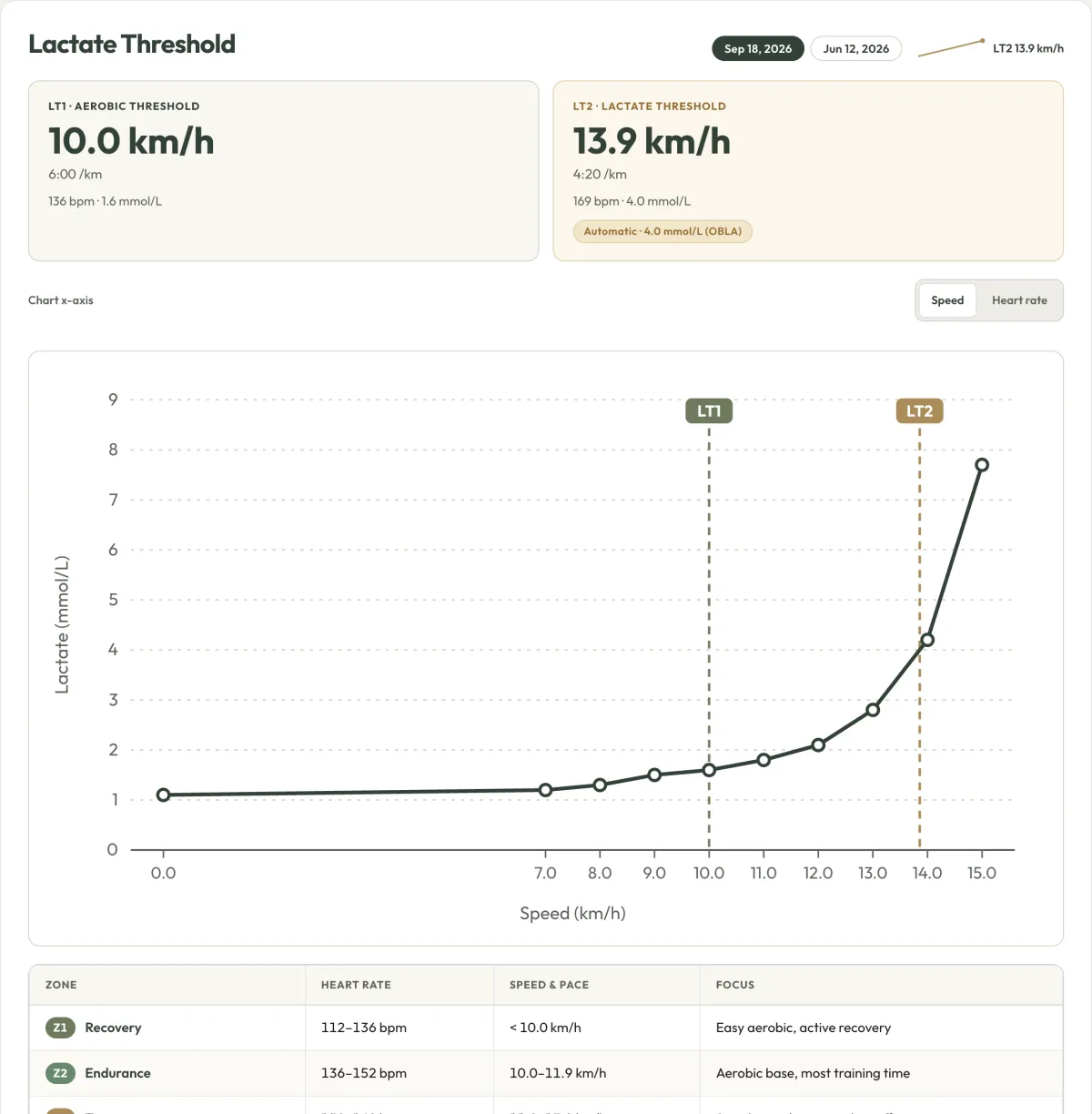
- LT1 (aerobic threshold) and LT2 (lactate threshold), in watts or speed and heart rate
- Your full lactate curve
- 5 training zones from your own blood lactate
- Your VO2 Max and resting baseline alongside, when you test them too
Strength results Beta
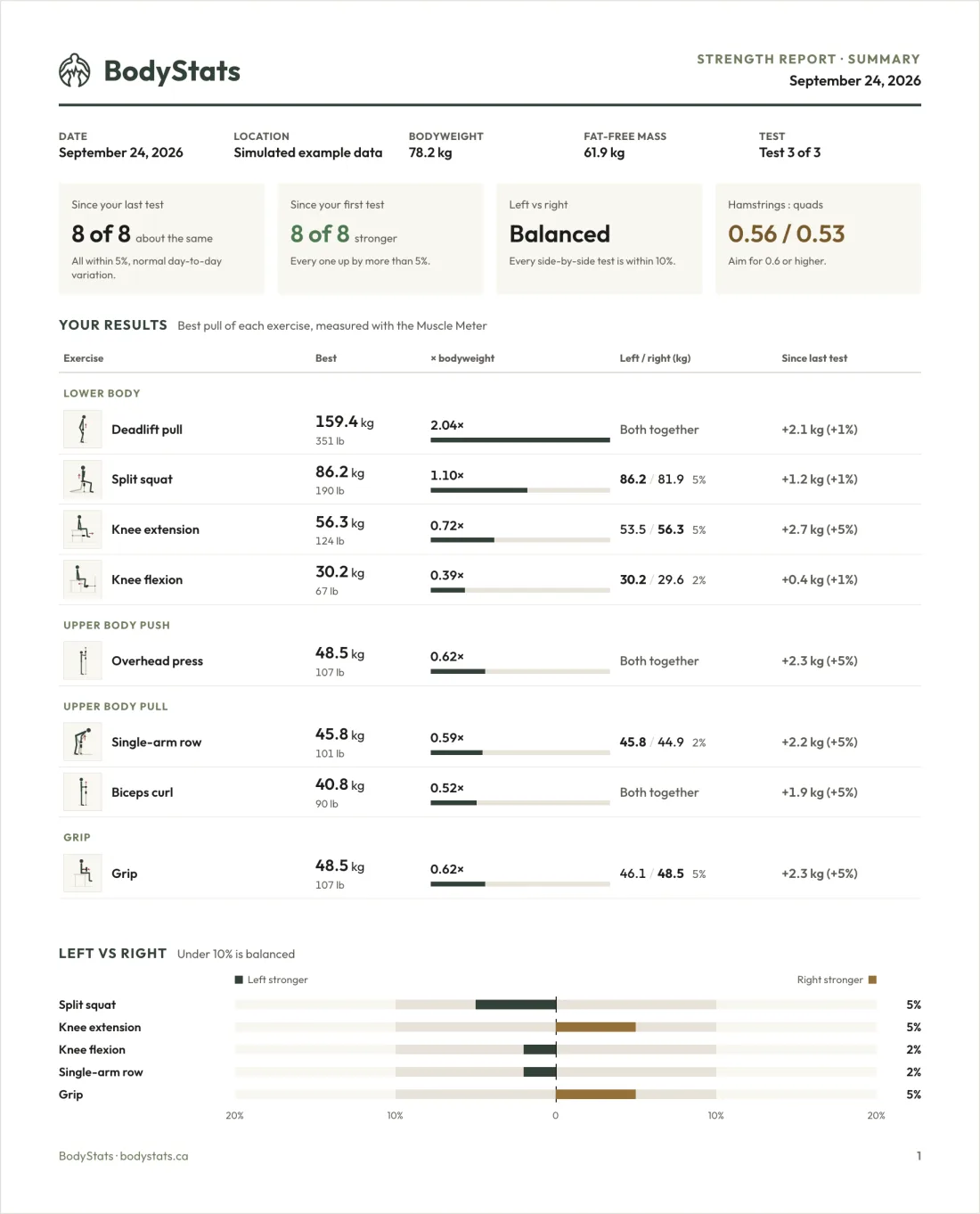
From our Isometric Force Test: a full report, like your VO2 Max one, with a one-tap PDF.
- Every exercise grouped by body area, with your best pull in kg and lb and as a multiple of your bodyweight
- Left vs right balance, and hamstrings vs quads
- How each exercise has changed since your first test
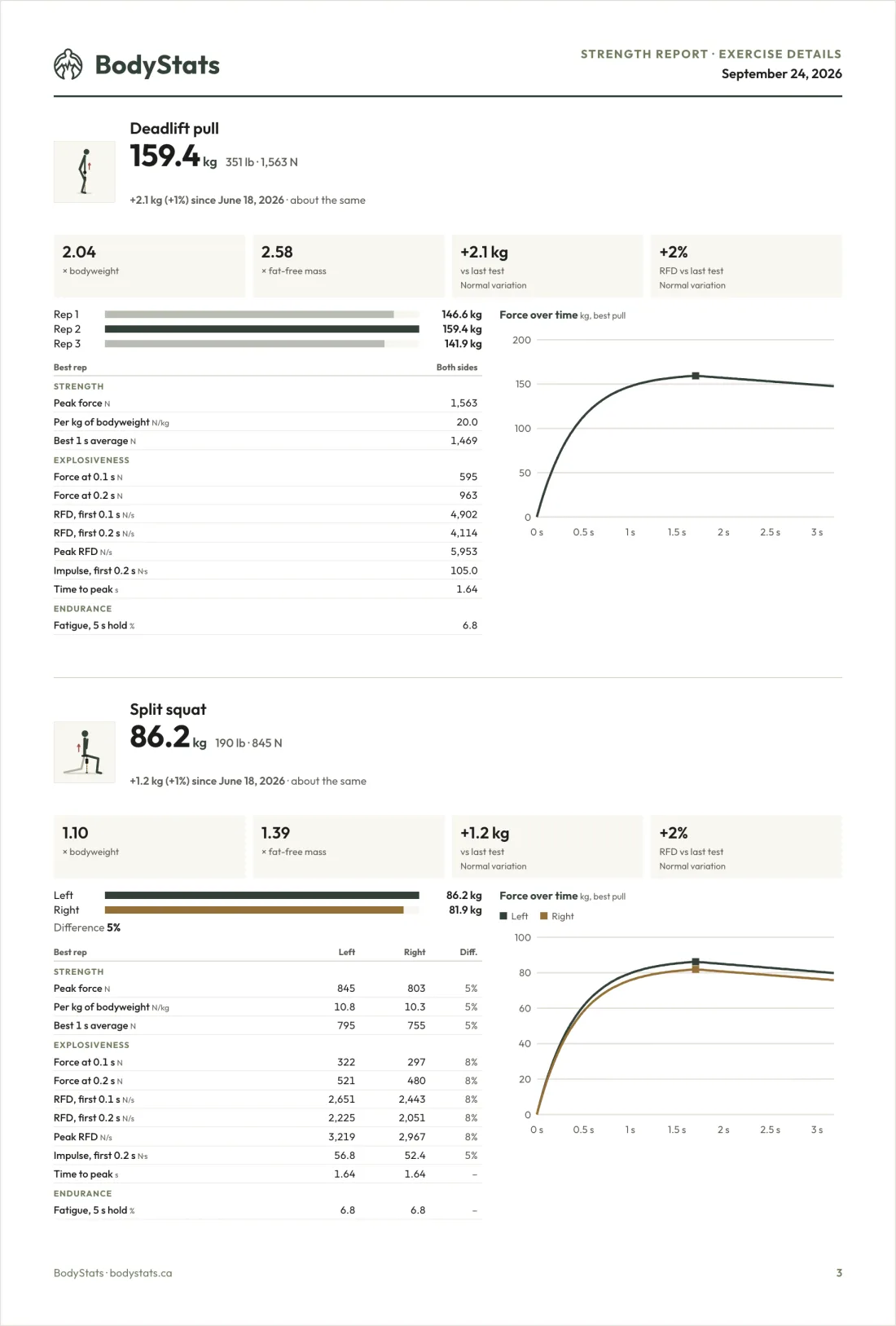
- Peak force, explosiveness and endurance for each side, with your force curve
Sample results shown.
Tested somewhere else?
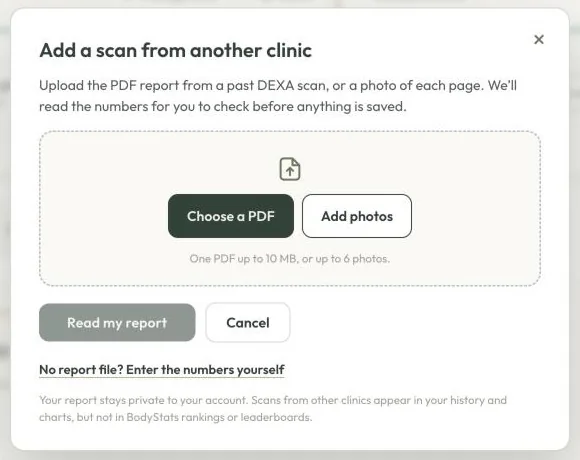
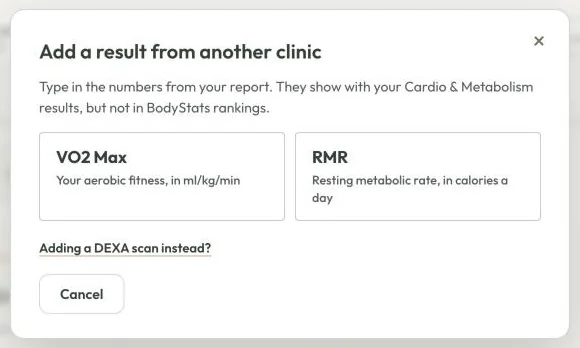
Add results from other clinics and keep everything in one place. They show in your history and charts, but not in BodyStats rankings.
Your data is yours
You never have to rely on us to keep your results.
- Every report, one tap away in PDF Reports: your scan report, your VO2 Max, RMR and strength reports, and every original PDF
- Email me my results sends you a dated CSV of your complete DEXA, VO2 Max and RMR history, ready for Excel, Google Sheets or other apps
- Share cards: your before and after as one picture
BodyStats Insights
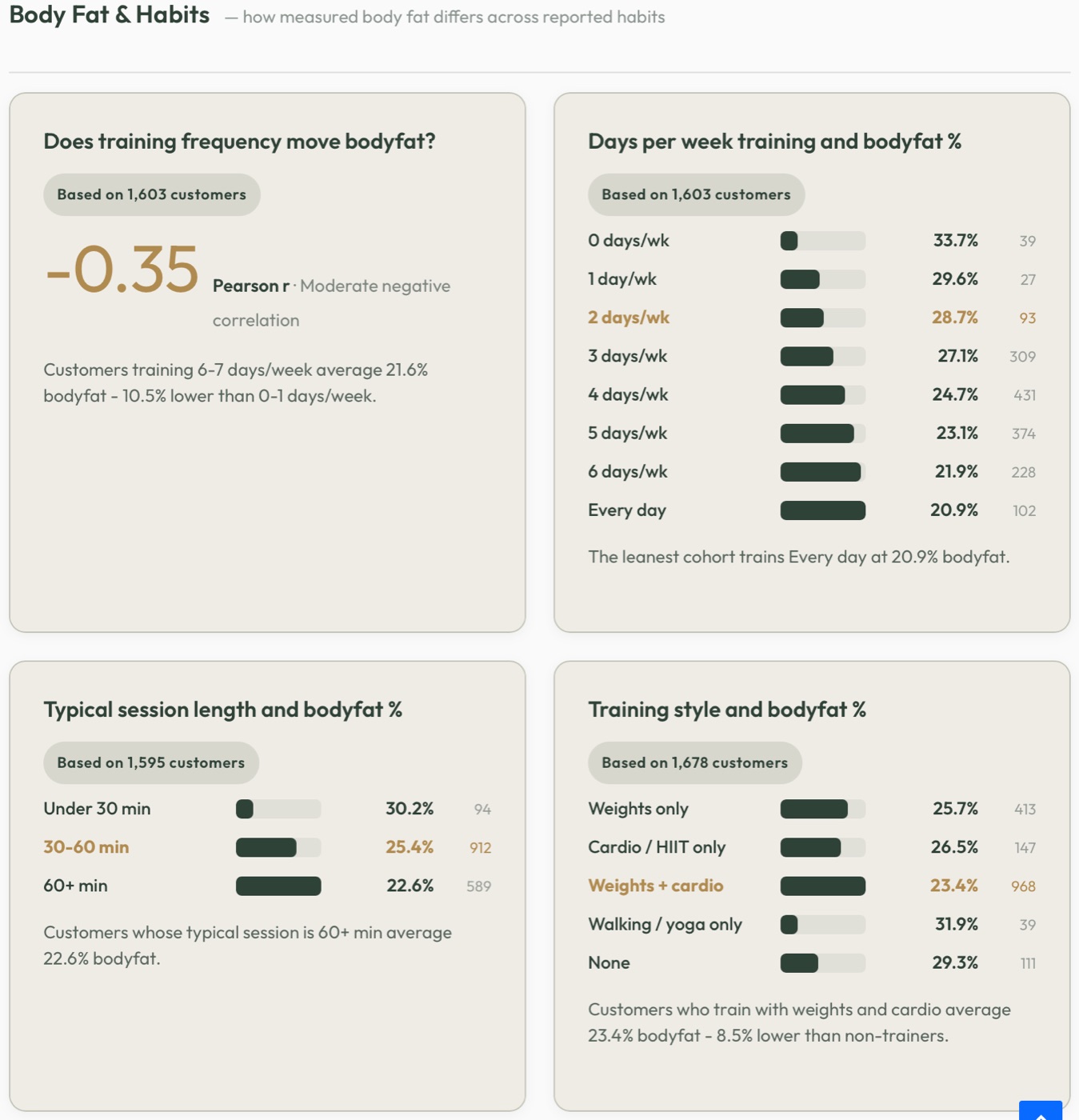
Answer a short, optional questionnaire and see how habits like training days, session length and diet line up with measured results across BodyStats clients.
For example, clients who train 6 to 7 days a week average 21.6% body fat, based on 1,603 customers.
Built-in tools
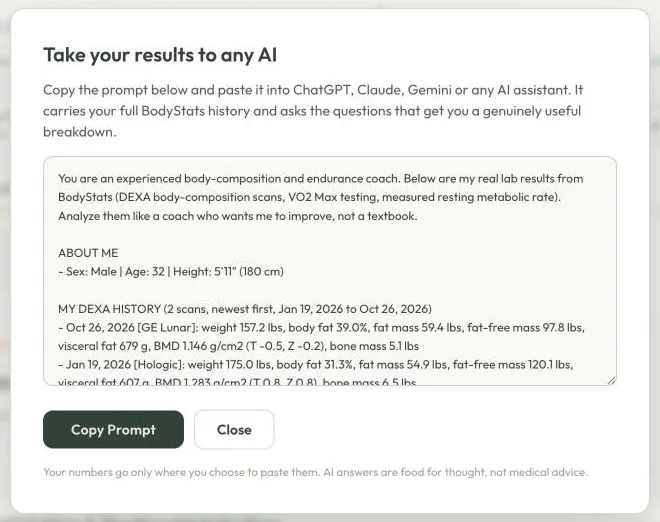
Ask AI
Copy a ready-made prompt with your full history into ChatGPT, Claude or Gemini for a coach-style breakdown. Your numbers only go where you paste them.
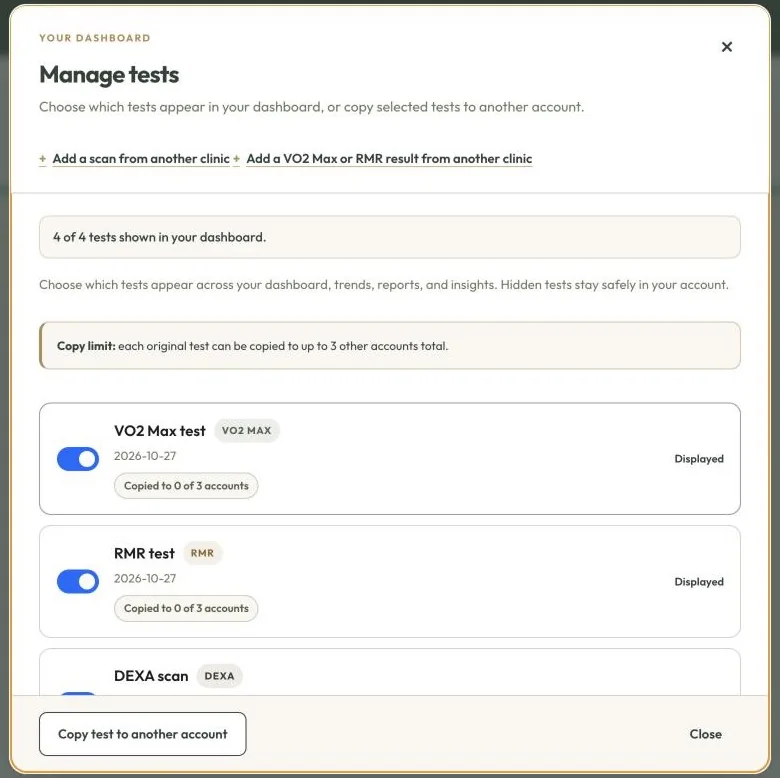
Manage tests
Choose which tests show in your dashboard, copy tests to up to 3 other accounts, for example a partner you train with, or add results from another clinic.
Schedule a consult
Book a free results review, or a nutrition consult with our nutritionist, straight from your dashboard.
Share cards
Turn a before and after into one picture for Instagram or your coach.
Give 10%, get $10
Share your referral code: friends save 10% and you get $10 credit.
Available in 8 languages
- English
- 简体中文
- 繁體中文
- ਪੰਜਾਬੀ
- Français
- 한국어
- Español
- Tiếng Việt
Questions
Does the dashboard cost extra?
No. It comes with every test you book at BodyStats.
How do I sign in?
Go to bodystats.ca/results and sign in with Google, or enter your email and we’ll send you a 6-digit code. No password.
Can I try it before I book?
Yes. Try the dashboard with real BodyStats results from our founder, or the scan explorer on this page.
Can I download my data?
Yes. Download any report as a PDF from PDF Reports, any time. “Email me my results” sends you a dated CSV of your full DEXA, VO2 Max and RMR history.
Can I share tests with a partner or family member?
Yes. Manage tests lets you copy any test to up to 3 other BodyStats accounts. You can also hide tests you don’t want to see.
Is the dashboard available in other languages?
Yes, in English, 简体中文, 繁體中文, ਪੰਜਾਬੀ, Français, 한국어, Español and Tiếng Việt. Original scanner PDFs stay in their original language.
I have results from another clinic. Can I add them?
Yes. Choose Add a past scan and upload the PDF or a photo of each page: we read the numbers for you to check, or you can type them in. VO2 Max and RMR results go in with Add a result on the Cardio & Metabolism tab. They show in your history and charts, but not in BodyStats rankings.
See your own numbers
Already tested with us? Sign in with your email.